Modern creative workspace with digital tablet, notebooks, sketches, and typography layout notes
01 New Zealand Web Design Curriculum
Curriculum Overview

Shape Digital Ideas Into Thoughtful Web Experiences

Explore a structured educational programme crafted to help learners in New Zealand master the foundations of modern web design. From typographic hierarchy to responsive interfaces, our curriculum combines design theory with deliberate, project-led practice.

Core Disciplines

Curriculum & Core Topics

A balanced curriculum grounded in clarity, digital craftsmanship, and practical website creation.

01 / FOUNDATIONS

Web Design Fundamentals

An introduction to the underlying principles of visual communication, composition, and screen layout. Learners discover how white space, rhythm, and clear content relationships direct attention across contemporary digital pages.

Concepts Covered
Visual hierarchy, contrast, spatial harmony, typography choices, and baseline rhythm.
Learning Objective
Evaluate and construct balanced visual compositions that communicate core messages with precision.
Applied Example
Architecting a coherent landing page structure for an independent regional architectural studio.
02 / FLUID SYSTEMS

Responsive Web Design

Master the discipline of crafting interfaces that adapt naturally across phones, tablets, laptops, and ultra-wide viewports without loss of legibility, visual balance, or navigation ease.

Concepts Covered
Fluid typography scales, CSS Grid auto-flow, flexbox alignment, and proportional media scaling.
Learning Objective
Design flexible screen layouts using responsive grid mechanics without content overflow or rigid constraints.
Applied Example
Adapting a dense multi-column editorial magazine article seamlessly down to single-column handheld screens.
03 / INTERFACES

User Interface Design

Investigate the tactile details of digital controls. This topic concentrates on component consistency, button states, clear form field hierarchies, and modern design system tokens.

Concepts Covered
Component anatomy, affordance indicators, micro-states, input states, and design token libraries.
Learning Objective
Create predictable, reusable UI pattern libraries that ensure cohesive interactions across multiple views.
Applied Example
Standardising form controls, filter drawers, and modal sheets for a digital cultural archive index.
04 / EXPERIENCE

User Experience Fundamentals

Explore user-centred thinking, intuitive navigation architecture, and WCAG accessibility standards. Learn to clarify user pathways and test clarity before drawing final visual assets.

Concepts Covered
Information architecture, user flows, content grouping, cognitive load, and semantic HTML accessibility.
Learning Objective
Analyse real-world user pathways and design website structures that minimise friction and confusion.
Applied Example
Organising a multi-category community education directory so beginners find relevant topics in seconds.
05 / PROTOTYPING

Design Tools & Prototyping

Translate abstract sketches into functional, testable wireframes and clickable design concepts. Discover how to communicate design rationale clearly and iterate based on structured feedback.

Concepts Covered
Lo-fi wireframes, hi-fi interactive mockups, design documentation, and peer review methodologies.
Learning Objective
Produce structured prototype artifacts that validate design decisions before full production implementation.
Applied Example
Simulating checkout flow and cart interactions for an artisan goods producer in Hamilton.
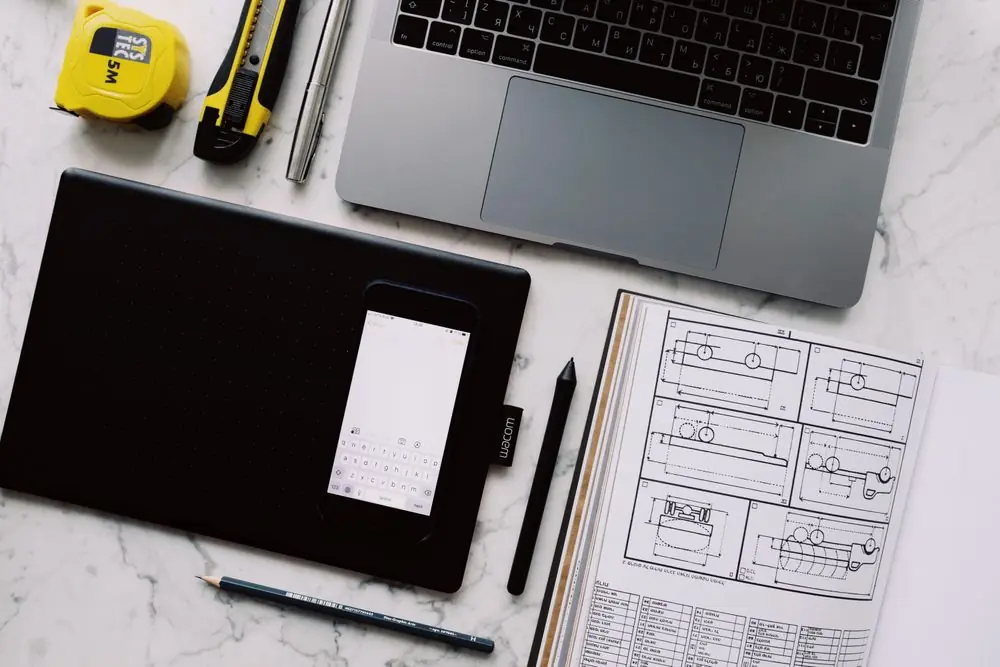
Top view of design workstation with website wireframes and layout drafts
4 Core Practice Project Frameworks
PRACTICAL APPLICATION

Practical Projects & Learning Outcomes

True design confidence emerges from solving tangible layout challenges. Learners work through realistic practice briefs that simulate genuine website requirements without artificial constraints or exaggerated commercial promises.

Sample Practice Concepts

Concept 01

Small Business Website Concept

Develop a multi-section digital presence for an artisan ceramicist in the Waikato region. Emphasises clear service communication, accessible opening hours, studio story, and a clean inquiry interface.

Concept 02

Personal Design Portfolio

Construct a restrained portfolio showcase highlighting case studies, typography treatments, and interactive UI artifacts. Focuses on typographic personality and uncluttered white space.

Concept 03

Creative Studio Landing Page

Design a high-impact single-page promotional overview for a fictional Wellington design workshop, balancing dramatic typography with mobile touch accessibility and clear contact details.

Concept 04

Responsive Editorial Layout

Format a long-form cultural article featuring asymmetrical column gutters, pull quotes, annotated callouts, and clean reading typography that holds structure on all screen widths.

Demonstrable Learning Outcomes

Through structured guidance and hands-on exercises, learners build measurable design competence:

  • Deconstruct Visual Systems: Confidently diagnose alignment flaws, weak typographic contrast, and awkward spacing on live web pages.
  • Establish Fluid Layouts: Construct responsive multi-breakpoint screen concepts that maintain clear reading hierarchy on mobile viewports.
  • Apply Inclusive Accessibility: Apply WCAG contrast ratios, accessible form labels, and focus rings to interface components.
  • Articulate Design Decisions: Present and defend layout choices, colour pairings, and component states using established design rationale.
COMMON QUESTIONS

Course Questions & Answers

Practical clarifications regarding the curriculum, subject depth, and learning expectations.

Who may benefit from studying web design with Alboriessa Novia?

Our curriculum is tailored for aspiring digital creators, print designers transitioning to screen media, small business founders, and curious learners in New Zealand seeking to build practical, structured understanding of modern digital design.

Do beginners need prior digital design or coding experience?

No prior experience is necessary. We start from foundational spatial concepts—typography, layout grid logic, and visual contrast—before advancing into component states and responsive adaptations.

What primary subjects are covered across the curriculum?

The core curriculum encompasses Web Design Fundamentals, Responsive Screen Composition, User Interface (UI) Design, User Experience (UX) Essentials, and Prototyping practices.

What is the distinction between UI and UX in modern web design?

User Interface (UI) focuses on the visible tactile elements—colour systems, typography hierarchy, button feedback, and surface styling. User Experience (UX) evaluates information flow, page navigation clarity, accessibility, and how easily a visitor completes their intended purpose.

What exactly is responsive web design and why is it taught early?

Responsive web design ensures digital layouts adjust naturally across mobile, tablet, and desktop screens without breaking or requiring separate websites. Because over half of web visits occur on mobile, considering fluid layout behaviour from the outset is essential.

Are practical exercises included throughout the learning approach?

Yes. Every subject area pairs conceptual explanations with hands-on practice challenges, ranging from refactoring unorganised navigation bars to establishing clean typographic scales.

How does digital accessibility influence website design?

Accessibility ensures that interfaces are operable for everyone, including people using keyboard navigation, screen readers, or viewing screens in high-glare environments. Clear contrast ratios, meaningful semantics, and predictable focus states are core quality standards.

Where can visitors find further course and enrolment information?

Detailed explanations of our educational philosophy can be found on our Learning Approach page. For direct educational inquiries, contact our team in Hamilton via email at info@alboriessanovia.com or call +64 7 482 6193.